


Over 75% of American shoppers judge a business's credibility by its website within seconds. For small business owners, a confusing or cluttered site can quickly send customers elsewhere. If you find website design overwhelming or expensive, you are not alone. This guide shares practical, affordable tips to create a simple and inviting online presence that captures attention and encourages real engagement with your brand.
Table of Contents
- 1. Start With A Clear And Simple Homepage
- 2. Use Mobile-Responsive Templates For All Devices
- 3. Showcase Your Main Services With Visuals
- 4. Highlight Calls To Action For Lead Generation
- 5. Optimize For Local Search To Boost Visibility
- 6. Write Concise, Business-Focused Copy
- 7. Test Site Speed And Ease Of Use Regularly
Quick Summary
| Takeaway | Explanation |
|---|---|
| 1. Create a Simple Homepage | Design a clear, well-structured homepage that conveys your business identity within seconds. |
| 2. Use Mobile-Responsive Design | Ensure your website automatically adjusts to different devices for a seamless user experience. |
| 3. Employ High-Quality Visuals | Showcase your services with professional images to enhance user understanding and engagement. |
| 4. Include Strong Calls to Action | Position clear, compelling CTAs to encourage visitor actions and lead generation. |
| 5. Optimize for Local Search | Use consistent local information and targeted keywords to improve visibility in your area. |
1. Start With a Clear and Simple Homepage
Your website's homepage is the digital storefront of your small business and often serves as the first impression potential customers will have of your brand. A cluttered or confusing design can quickly drive visitors away, while a well-structured homepage helps communicate your business identity and values.
The key is to create a clean visual layout that immediately tells visitors who you are and what you offer. Think of your homepage like a concise elevator pitch designed to capture attention in seconds. Web visitors typically decide within 3-7 seconds whether they want to explore further or click away.
A simple homepage should include three critical elements: a clear headline that explains your core business offering, a brief subheader that provides additional context, and a prominent call to action that guides visitors toward taking the next step. Avoid overwhelming visitors with too much information or complicated design elements that distract from your primary message.
Visual hierarchy matters tremendously. Place your most important information where visitors' eyes naturally travel first - typically the top center and left side of the page. Use high quality images that represent your business professionally, but don't let visuals overshadow your core message. White space is your friend - it helps direct attention and makes your content feel more approachable and readable.
Design your homepage with mobile users in mind. Over 60% of web traffic now comes from smartphones, so ensure your layout looks clean and functions smoothly across different device sizes. This means large, tappable buttons, readable fonts, and a responsive design that adapts seamlessly.
Pro tip: Ask three people outside your business to review your homepage and explain what they think your company does within 5 seconds - their immediate reaction will reveal how effectively you've communicated your core message.
2. Use Mobile-Responsive Templates for All Devices
In the digital age, your website must look great and function seamlessly across smartphones, tablets, and desktop computers. Responsive web design has become a critical standard for modern businesses, with mobile traffic now representing over 60% of all internet browsing.
A mobile-responsive template automatically adjusts your website's layout, images, and content to fit different screen sizes and device types. This means your website will look professional whether someone is viewing it on a large desktop monitor or a small smartphone screen. The goal is to provide a consistent, user friendly experience that keeps visitors engaged regardless of how they access your site.
Choosing the right mobile responsive template involves more than just visual appearance. You want a design that maintains your brand identity while ensuring readability and easy navigation. Key features to look for include flexible grid layouts, scalable images, and touch friendly navigation menus that work smoothly on mobile devices.
Web traffic data shows that users are quick to abandon websites that are difficult to read or navigate on mobile devices. In fact, 57% of users will not recommend a business with a poorly designed mobile website. This makes your template selection critically important for maintaining customer engagement and preventing potential lost opportunities.
Pro tip: Test your website on multiple devices and ask friends or colleagues to navigate your site on their smartphones to identify any potential usability issues.
3. Showcase Your Main Services With Visuals
Visual communication is a powerful way to instantly convey your business offerings and capture potential customer interest. Strategic visual presentation can transform how customers understand and engage with your services.
High quality images and graphics serve multiple purposes beyond simple decoration. They help potential customers quickly understand what you do, demonstrate the quality of your work, and create an emotional connection with your brand. Most people process visual information faster than text making images a critical communication tool for small businesses.
When selecting visuals, choose images that are professional, clear, and directly representative of your services. For example, a landscaping business should showcase before and after project photos, while a cleaning service might display sparkling clean interiors. Avoid generic stock photos that look impersonal or staged.
Consider creating a visual service menu that breaks down your offerings with icons, brief descriptions, and representative images. This approach helps visitors quickly scan and understand your capabilities. Make sure your visuals are high resolution, well lit, and demonstrate the unique value your business provides.
Remember that consistency matters. Use a similar color palette, style, and quality across all images to create a cohesive brand experience. Potential customers should be able to recognize your visual style as uniquely yours.
Pro tip: Invest in professional photography or learn basic photo editing skills to ensure your service visuals look polished and compelling.
4. Highlight Calls to Action for Lead Generation
A call to action is your website's most powerful tool for converting casual visitors into potential customers. Strategically designed CTAs can dramatically improve your lead generation efforts by providing clear pathways for user engagement.
Effective calls to action are more than just buttons or links. They are carefully crafted invitations that tell visitors exactly what they should do next. Whether it is scheduling a consultation, requesting a quote, or downloading a resource, your CTA should be direct, compelling, and visually prominent.
Position your most important calls to action where visitors are most likely to see them. This typically means placing them above the fold on your homepage, at the end of service descriptions, and in the navigation menu. Use contrasting colors that stand out from your website's background and make the text action oriented such as "Get Your Free Quote" instead of passive phrases like "Learn More".
The language of your CTA matters tremendously. Research shows that personalized, benefit driven CTAs convert up to 42% more effectively than generic alternatives. Instead of saying "Contact Us," try "Solve My Problem" or "Start My Project." This approach speaks directly to the visitor's needs and motivations.
Consider creating multiple CTAs with different levels of commitment. Some visitors might not be ready for an immediate purchase but would be willing to download a free guide or sign up for a newsletter. This strategy helps you capture leads at various stages of the customer journey.
Pro tip: Test different CTA designs, colors, and language by using A/B testing to discover what resonates most with your specific audience.
5. Optimize for Local Search to Boost Visibility
Local search engine optimization is the secret weapon for small businesses looking to attract customers in their specific geographic area. Strategic local SEO tactics can help your business appear prominently in search results when potential customers are searching for services near them.
The foundation of local search optimization begins with your Google Business Profile. Ensure your business name, address, and phone number are consistent across all online platforms. This means matching information exactly on your website, social media profiles, and directory listings. Small discrepancies can confuse search engines and reduce your local search rankings.
Incorporate location specific keywords naturally throughout your website content. Instead of generic phrases like "best cleaning service," use "Atlanta home cleaning service" or "carpet cleaning in downtown Seattle." This approach helps search engines understand your precise service area and improves your chances of appearing in local search results.
Customer reviews play a critical role in local search visibility. Encourage satisfied clients to leave reviews on your Google Business Profile and other relevant platforms. Respond to all reviews professionally, whether positive or negative. This shows potential customers that you are engaged and care about customer experience.
Create location specific content that demonstrates your expertise in serving your local community. This could include blog posts about local events, community involvement, or region specific service challenges. Such content signals to search engines that you are a relevant and active local business.
Pro tip: Use free tools like Google Search Console to track your local search performance and identify opportunities for improving your geographic visibility.
6. Write Concise, Business-Focused Copy
Website copy is your digital salesperson working 24/7 to communicate your business value and persuade potential customers. Effective copywriting requires crafting clear, purposeful messages that quickly capture visitor attention and drive action.
The key to powerful website copy is ruthless simplicity. Visitors typically scan web pages in seconds, so your text must communicate value immediately. Eliminate industry jargon, complex sentences, and unnecessary words. Focus on how your services solve specific customer problems rather than listing generic service descriptions.
Structure your copy using the problem solution framework. Start by acknowledging a challenge your target customers face, then explain how your business provides the ideal solution. Use direct language that speaks to customer needs. For example, instead of writing "We provide comprehensive landscaping services," try "Transform your overgrown yard into a beautiful outdoor space in one afternoon."
Break up text with descriptive subheadings, bullet points, and short paragraphs. This makes your content more digestible and helps visitors quickly understand your offerings. Aim for sentences between 10 to 20 words and paragraphs no longer than 3 to 4 lines. White space is your friend in keeping readers engaged.
Every section of your website should include a clear purpose and compelling reason for visitors to take action. Use strong action verbs, create a sense of urgency, and highlight the unique benefits that set your business apart from competitors.
Pro tip: Read your copy out loud to ensure it sounds natural and conversational, as if you were speaking directly to a potential customer.
7. Test Site Speed and Ease of Use Regularly
Your website's performance can make or break your business's online success. Continuous usability testing helps you understand how real users interact with your website and identify potential barriers to engagement.
Site speed is critical because modern internet users have incredibly short attention spans. Research shows that 53% of mobile website visitors will abandon a site if it takes longer than three seconds to load. This means every second counts when it comes to keeping potential customers on your website.
Use free tools like Google PageSpeed Insights to evaluate your website performance across different devices. These tools provide specific recommendations for improving loading times, such as optimizing images, minimizing code, and leveraging browser caching. Pay special attention to mobile performance, as most web traffic now comes from smartphones and tablets.
Ease of use testing involves more than just speed. Navigate through your website as if you were a potential customer. Can you easily find contact information? Are service descriptions clear? Do buttons and links work smoothly? Ask friends or family members to review your site and provide honest feedback about their user experience.
Consider implementing user tracking tools like heat maps and session recordings. These technologies show exactly how visitors move through your website, revealing potential confusing navigation paths or sections where users lose interest. This data provides actionable insights for continuous improvement.
Pro tip: Test your website speed and usability quarterly and after any major design changes to ensure optimal performance.
Below is a comprehensive table summarizing the strategies and recommendations discussed throughout the article for optimizing a small business website for better user engagement and lead generation.
| Strategy | Implementation | Result |
|---|---|---|
| Homepage Simplification | Utilize a concise headline, subheadings, and a clear call to action to communicate the business identity and values directly. Employ visual hierarchy and optimize designs for mobile users. | Enhances visitor retention and engagement, creating a strong first impression. |
| Mobile-Responsive Design | Select templates that adjust seamlessly across devices, maintaining readability and easy navigation with scalable designs and touch-friendly elements. | Ensures consistent user experience, reducing abandonment rate and increasing accessibility. |
| Service Showcase via Visuals | Highlight services with professional and representative images, using consistent styles and colors for branding. | Helps communicate business offerings effectively and fosters customer interest and trust. |
| Call-to-Action Optimization | Create compelling, benefit-driven CTAs using action-oriented language and strategic placement on pages. | Improves conversion rates, encouraging user engagement and generating leads. |
| Local SEO Strategies | Maintain consistent details in online listings, incorporate location-specific keywords, leverage customer reviews, and create location-centered content. | Boosts visibility in local searches, attracting geographically relevant customers. |
| Effective Copywriting | Produce concise, engaging text focusing on solving customer challenges, using structured frameworks and simplification. | Enhances communication clarity, keeping visitors interested and guiding them through solutions efficiently. |
| Performance Monitoring | Test website functionality, speed, and usability regularly using analytics tools and user feedback. Implement improvements accordingly. | Ensures optimal performance, enhances user satisfaction, and reduces bounce rates. |
Build Your Small Business Website Quickly and Professionally with Uncody
The article highlights common challenges small business owners face when trying to create an effective website—from crafting clear and concise copy to ensuring mobile responsiveness and optimizing for local search. These pain points, combined with the need for strong calls to action and fast site performance, make website design feel overwhelming without technical skills or a large budget.
Uncody solves these exact challenges by offering an AI-driven website builder tailored specifically for small businesses. With features like customizable, mobile-responsive templates, AI-suggested images that perfectly match your services, and industry-specific copywriting, you get a professional website that converts. Plus, integrated lead capture tools and local SEO enhancements help boost your visibility and generate more customer inquiries.
Don’t let technical barriers slow your business growth. Start creating a high-converting site today on Uncody’s platform and see how simple it can be to establish a powerful online presence. Explore how easy it is to implement the top website design tips covered in the article by visiting Uncody now.
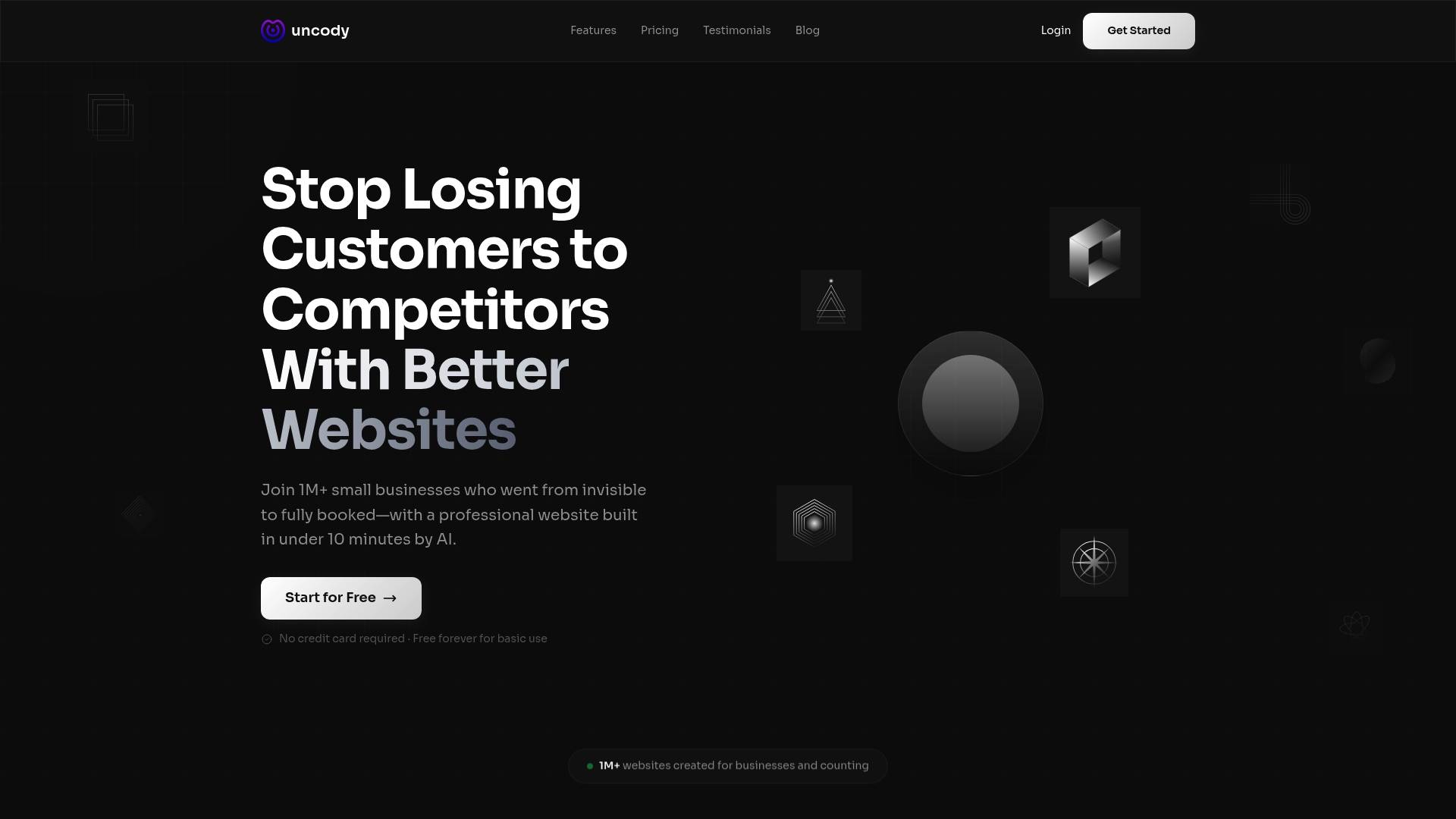
Ready to transform your digital storefront overnight Learn more about creating a stunning website that drives leads with Uncody. Get started now and watch your small business thrive online.
Frequently Asked Questions
What are the key components of a clear and simple homepage?
A clear and simple homepage should include a headline that explains your core business offering, a subheader that provides additional context, and a prominent call to action. Focus on creating a clean layout that emphasizes these elements to communicate your business message effectively.
How can I ensure my website is mobile responsive?
To ensure your website is mobile responsive, choose a template that automatically adjusts your layout for different devices. Test your website on various smartphones and tablets to verify that it maintains readability and functionality.
What types of visuals should I use to showcase my services?
Use high-quality images that clearly represent your services and create an emotional connection with potential customers. Consider incorporating before-and-after photos or a visual service menu to quickly convey your offerings.
How can I improve my lead generation with calls to action?
To improve lead generation, create clear and compelling calls to action that guide visitors on what to do next. Position these CTAs prominently on your website and use action-oriented language, like "Get Your Free Quote" to increase engagement.
What are effective strategies for optimizing my website for local search?
Effective strategies for local search optimization include maintaining consistent business information on online platforms and incorporating location-specific keywords into your content. Encourage customer reviews on your profiles to improve visibility in local search results and build your reputation.
How often should I test my website's speed and usability?
Test your website's speed and usability quarterly or after any major changes to ensure optimal performance. Regularly check loading times and ease of navigation, making necessary adjustments based on user feedback and analytics.